Knitting is a slow craft. There’s no shortcut for a lace shawl or a colorwork sweater, you just have to put in the hours, stitch by stitch. Which means the single biggest threat to my knitting output was never my skill level. It was time. Specifically, the time I was pouring into scrolling.
I am not exaggerating when I say Instagram used to eat hours of my day. Hours I could have sworn were minutes, because the app is basically a time thief (and I’m just a lurker). I’d open it as a quick time filler and resurface forty-five minutes later having gained absolutely nothing except what seventeen people’s opinions are about current events.
Here’s when it usually happened: the end of the day, after my daughter was finally in bed, when I was bone tired and just wanted to veg out. Instagram was the first thing I reached for. And a few minutes of mindless scrolling to breathe? Completely reasonable and understandable! The problem is that the endless scroll doesn’t let a few minutes stay a few minutes.
That’s what made it sneaky. It wasn’t time I was taking from my family. It was my me time, the handful of hours that are actually mine, and I wanted them to be worth more. Instead of refilling my cup, Instagram was draining it. The political content added stress, and the hours it ate were hours I wasn’t spending on the things that actually recharge me: knitting, reading, anything else.
And I knew this for a long time before I actually did anything about it. Knowing you’re spending too long on an app and being willing to quit it are two very different things, especially when close friends and family share their lives there. I didn’t want to miss the announcements, the milestones, the everyday stuff, so “just quit Instagram” never felt like a real option, no matter how many hours I could feel slipping away. Instead, over the last couple of years, I tried a handful of smaller ways to stop scrolling Instagram. In the interest of saving you the trouble, here’s what didn’t work.
What I Tried First (None of It Worked)
- Screen Time limits. Both iPhone and Android let you set a daily time limit for specific apps. In theory, great. In practice, the “remind me in 15 minutes” button is sitting right there, and past-me was extremely willing to tap it to just finish the thing I was looking at in that moment…and then the scrolling continued. A limit you can override in one tap isn’t really a limit, it’s a suggestion.
- A black-and-white automation. I set up an automation that switched my screen to grayscale the moment I opened Instagram, on the theory that the bright, saturated colors were part of the pull, and killing the color would kill some of the appeal. Reasonable theory. Didn’t work. Turns out colors don’t matter much on posts that aren’t about the visuals.
- A Kindle-redirect automation. I also tried an automation that would pop open the Kindle app after I’d been scrolling Instagram for a set amount of time, hoping it would nudge me toward scrolling through a book instead. It didn’t stick, either. I could easily hop back into Instagram to finish the post that was interrupted, and then the infinite scroll problem was still waiting for me.
None of these failed because I wasn’t trying hard enough. They failed because they were all attempts to out-willpower an infinite scroll feed with more friction on the same feed. Instead of just not being on the feed at all. I didn’t land on that realization on my own, though. It took a final straw.
The Final Straw
Two things happened, completely unplanned, on the same day.
First, I was listening to the audiobook of Four Thousand Weeks. Burkeman’s argument is that because our lives are radically finite (about four thousand weeks, if you’re lucky), every choice made necessarily forecloses a hundred others. What landed for me was this: every minute I spent on Instagram was a minute I was, by definition, not spending on something else, such as knitting, reading, or even Knitrition. Not in a vague “time is precious” way — in a literal, one-or-the-other way. Choosing the scroll was choosing, every single time, not to pick up my needles. That reframe is what finally made it feel like a real trade-off instead of just a bad habit.
And then, later that same day, I was reading my usual New York Times newsletter, which had a reader Q&A section. The very first sentence of the very first answer was: “Stop doomscrolling, dear readers!”
That was the final straw. Message received. I deleted the app that day.
But What About Friends & Family?
Deleting the app alone wasn’t a full solution though. I still needed a way to keep up with the friends and family who live on Instagram, without it turning back into an infinite scroll trap. So I started googling (and eventually Claude-ing) what would actually hold up long-term versus what just sounded good in theory. I landed on a combination of Instagram’s built-in Favorites feature and browser bookmarks, and it’s worked like a charm ever since.
The Real Problem Isn’t Instagram. It’s Infinite Scroll.
The lightbulb for me was that it wasn’t really the content on Instagram that was the problem (except for the stress part). It was the interface. Both the app and the mobile website are built around infinite scroll. There’s no natural stopping point, no bottom of the page, no “you’re all caught up” moment. It’s just an endless conveyor belt of new designed to keep you looking one post longer, on purpose, which is how a few minutes of breathing room turns into an hour. That’s the business model. And it’s genuinely hard to look away from something engineered by very smart people to be hard to look away from.
Once I understood that was the actual enemy, not the app itself, not the people I follow, the fix became a lot more specific: I didn’t need to quit Instagram. I needed to quit the infinite scroll.
Delete the App, Not Instagram
This is the part people don’t want to hear, so I’ll just say it plainly: the app has to go. The just-open-it-and-you’re-already-scrolling ease of it, the way it’s sitting right there on your home screen daring you to open it during the three minutes you’re waiting for the next thing — the app itself is the delivery mechanism, and it has to be removed.
But “delete the app” doesn’t mean “delete Instagram from your life.” I still keep up with the accounts I actually care about. I just do it on my terms now, through the browser, in a way that skips the scroll entirely.
Here’s the three-part system that made it work.
Step 1: Build An Instagram Favorites Feed for the Accounts You Don’t Want to Miss
Instagram has a Favorites feature. You can mark an account you follow as a Favorite. Once you do, there’s a dedicated Favorites feed that shows you only posts from those accounts — no algorithm, no suggested content, no accounts you don’t care about padding things out.
(Instagram tends to shuffle its menu locations around every few updates, so if the exact tap path has moved by the time you read this, search “Instagram Favorites feed” and you’ll find the current steps in about ten seconds.)
A quick note for my fellow knitters: I know a lot of us use Instagram for inspiration, and following other knitters, designers, and dyers is a big part of how this craft shares ideas. That was a tiny fraction of my feed, so I can’t speak to that side of it from experience. But if it’s what’s keeping you on the app, the Favorites feed handles it too. Mark the makers you’d genuinely hate to miss as Favorites and let the rest go. (The trade-off is that you’ll lose the algorithm’s talent for introducing you to new accounts, but we’re giving up the algorithm anyway.)
The part that surprised me: there are way fewer new posts than I expected. When you strip out the algorithmic filler, the accounts you genuinely care about post a lot less often than it felt like when everything was mixed together. And when you reach the end of what’s new, the feed just loops back into older posts from those same accounts: posts you’ve already seen. That’s your built-in “you’re all caught up” signal that the regular feed never gives you. And those same few accounts over and over tend to get old.
There’s a smaller perk here too, but it’s a genuinely nice one: if you pause a video on the Favorites feed without closing the tab, it’s still paused right where you left it when you come back. No accidental background refresh, no algorithm quietly reshuffling things behind your back so the post you were just watching has vanished by the time you look for it again. On the main feed, that happens constantly and it’s maddening. On the Favorites feed, it just… doesn’t.
Step 2: Bookmark the Favorites Feed in Your Browser, Not Your Home Screen
This one matters more than it sounds like it should: use your phone’s browser bookmarks, not a home-screen shortcut.
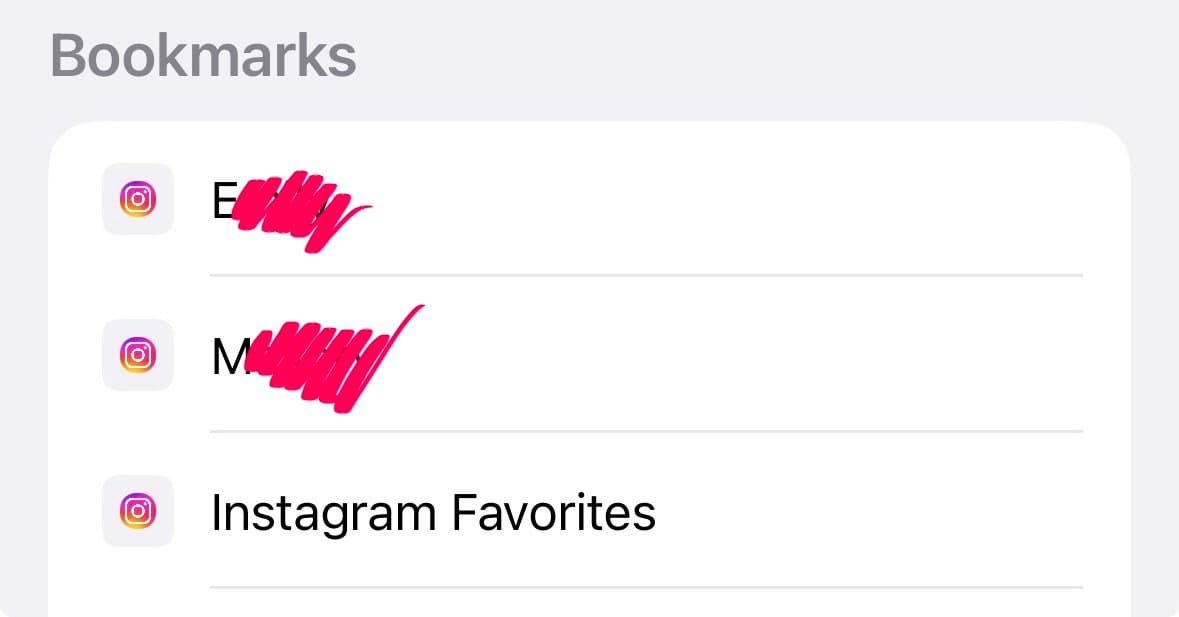
If you add Instagram to your home screen the normal way, it opens as a stripped-down app-like experience that dumps you straight onto the regular, algorithmic, infinite-scroll landing page, the exact thing you’re trying to avoid. It doesn’t matter that you meant to go to your Favorites feed; the home-screen shortcut bypasses it.
A plain old bookmark saved in your mobile browser, on the other hand, takes you directly to the Favorites feed URL every time, skipping the landing page entirely. It’s a small technical distinction, but it’s the difference between this system actually working and you accidentally ending up back on the scroll tomorrow.
Step 3: Give Your Stories-Only People Their Own Bookmark
The Favorites feed covers regular posts, but it doesn’t catch Stories. And for a lot of us, Stories are exactly how family and close friends actually communicate. (Regular posts, in my circle at least, are basically ceremonial at this point.)
For those people, I created individual browser bookmarks straight to their profile pages. When I want to check in, I tap their bookmark, look at whatever they’ve posted, and move on. No feed, no scroll, no fifteen other things vying for my attention on the way there.
Give Your Brain Something Else to Chew On
One more thing that made this actually stick: having something else lined up to fill the gap, especially in the first couple of weeks when my thumb still wanted to open Instagram out of pure muscle memory. For me, that something was… floor plans. (And I say this with zero embarrassment.) I got mildly obsessed with browsing a local home builder’s website and fantasizing about a potential future house.
Here’s the thing: I love floor plans and rearranging furniture. It’s a puzzle, and a surprisingly absorbing one. It’s adjacent to organizing, but more fun, and less work. I was brainstorming, playing, and moving imaginary furniture around, and it scratched the same idle-browsing itch Instagram used to, minus the algorithm. The house was a real possibility that never came to fruition, but it was so fun to think about. It turns out the best replacement isn’t the one that’s good for you, it’s the one you’re actually excited about.
Yours doesn’t have to be floor plans or furniture rearranging. It just needs to be something: casting on a new pattern that’s potato-chippy, picking up a book you can’t put down, pulling out a board game with your family, getting into a new knitting podcast, or if you aren’t already a knitter, learning to knit. Anything besides scrolling. The goal isn’t to white-knuckle your way through the urge to scroll. It’s about having something better already sitting right there when the urge shows up.
What Happened After I Started Doing This
The New York Times newsletter that pushed me over the edge was from early April 2026, so I’ve been off the Instagram app for a while now. The most telling part isn’t any single day, it’s the trend. The longer I’ve been off the app, the less I check Instagram at all. I now regularly go multiple days without thinking about it, which means I’m not just resisting the urge to open it. The urge itself has mostly gone quiet. When I do open the Favorites bookmark, I mostly get bored of it. And it’s a wonderful feeling to be free of the pull.
The Benefit I Expected: More Knitting
This was the whole point, and it delivered. I genuinely spend more time knitting in the evenings now than I did when infinite scroll had its hooks in me. And it’s not a vague “I feel more productive” claim. It’s hours that used to disappear into a feed and now go into actual rows on actual needles. I read more, too. And I end the day less frazzled because I’m no longer finishing it with a dose of other people’s opinions about current events.
If you’re in a season where you spend more time scrolling than you’d like, this is worth trying.
The Benefit I Didn’t Expect: I Shop Less, Too
This one genuinely surprised me. It’s not like I was buying things directly from Instagram ads, but even scrolling Amazon has lost its shine. I think it’s the same look-at-something-new-and-shiny mechanism at work: once I stopped feeding that particular habit loop on Instagram, it seems to have quieted down generally, not just on one app. I wasn’t expecting my wallet to be a side effect of this, but I’ll take it.
If You Want to Try This
You don’t need to swear off Instagram forever or delete your account. You just need to make the easy option the one that doesn’t have an algorithm attached to it.
Delete the app. Bookmark your Favorites feed. Bookmark your Stories people individually. And then go do something more fulfilling. Your future self will thank you.